
Clipping
Clip components are declarative children of a <Group>: data-only, consumed by the group into its clip prop — they render nothing themselves.
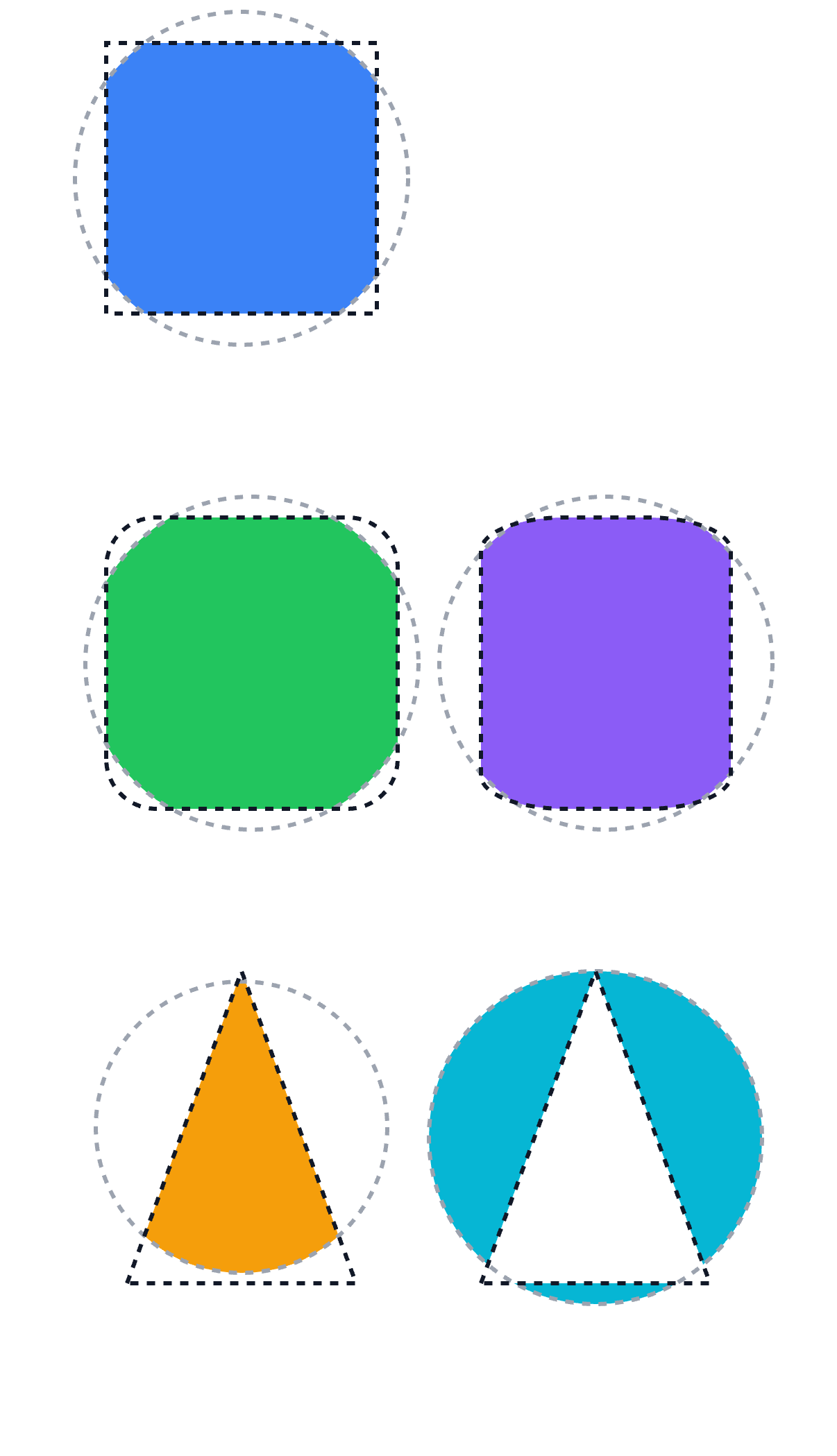
tsx
import { ClipRect, ClipRRect, ClipPath } from "@scumble/react";Several clip children combine in document order: each op="intersect" (the default) intersects with the clips before it, and op="difference" subtracts from them. Clip geometry is in the group's local coordinate space — the group's own transform applies to the clip too.
tsx
<Group>
  <ClipRRect x={20} y={20} width={120} height={120} radii={16} />
  <Circle cx={80} cy={80} radius={70} color="#22c55e" />
</Group>
The op prop (ClipOpProp) on every clip component:
| Value | Description |
|---|---|
"intersect" | Intersect with the clips before it (default). |
"difference" | Subtract from the clips before it. |
<ClipRect>
Clip a group's subtree to a rectangle.
tsx
<Group>
  <ClipRect x={20} y={20} width={120} height={120} />
  <Circle cx={80} cy={80} radius={70} color="#3b82f6" />
</Group>
Props
| Prop | Type | Default | Description |
|---|---|---|---|
x | number | 0 | Left edge x. |
y | number | 0 | Top edge y. |
width | number | — | Clip width. Required. |
height | number | — | Clip height. Required. |
op | "intersect" | "difference" | "intersect" | How this clip combines with the clips before it. |
<ClipRRect>
Clip a group's subtree to a rounded rectangle.
tsx
<Group>
  <ClipRRect x={20} y={20} width={120} height={120} radii={16} />
  <Circle cx={80} cy={80} radius={70} color="#22c55e" />
</Group>
A 4-corner array clips to a per-corner rounded rect — e.g. only the top corners:
tsx
<Group>
  <ClipRRect
    x={0}
    y={0}
    width={120}
    height={200}
    radii={[
      { x: 16, y: 16 },
      { x: 16, y: 16 },
      { x: 0, y: 0 },
      { x: 0, y: 0 },
    ]}
  />
  <Image image={img} width={120} height={200} />
</Group>
Props
All ClipRectProps, plus:
| Prop | Type | Default | Description |
|---|---|---|---|
radii | number | { x: number; y: number } | CornerRadii | — | Corner radii: a number is uniform, {x, y} is per-axis, and a 4-corner array is [top-left, top-right, bottom-right, bottom-left]. Required. |
<ClipPath>
Clip a group's subtree to an arbitrary path — an SVG d string or a Path2D.
tsx
<Group>
  <ClipPath path="M0 0 L100 0 L100 100 Z" />
  <Rect width={200} height={200} color="#f59e0b" />
</Group>
Props
| Prop | Type | Default | Description |
|---|---|---|---|
path | string | Path2D | — | SVG path data string, or a Path2D object built command-style. Required. |
op | "intersect" | "difference" | "intersect" | How this clip combines with the clips before it. |